QR Codes and OCR Text
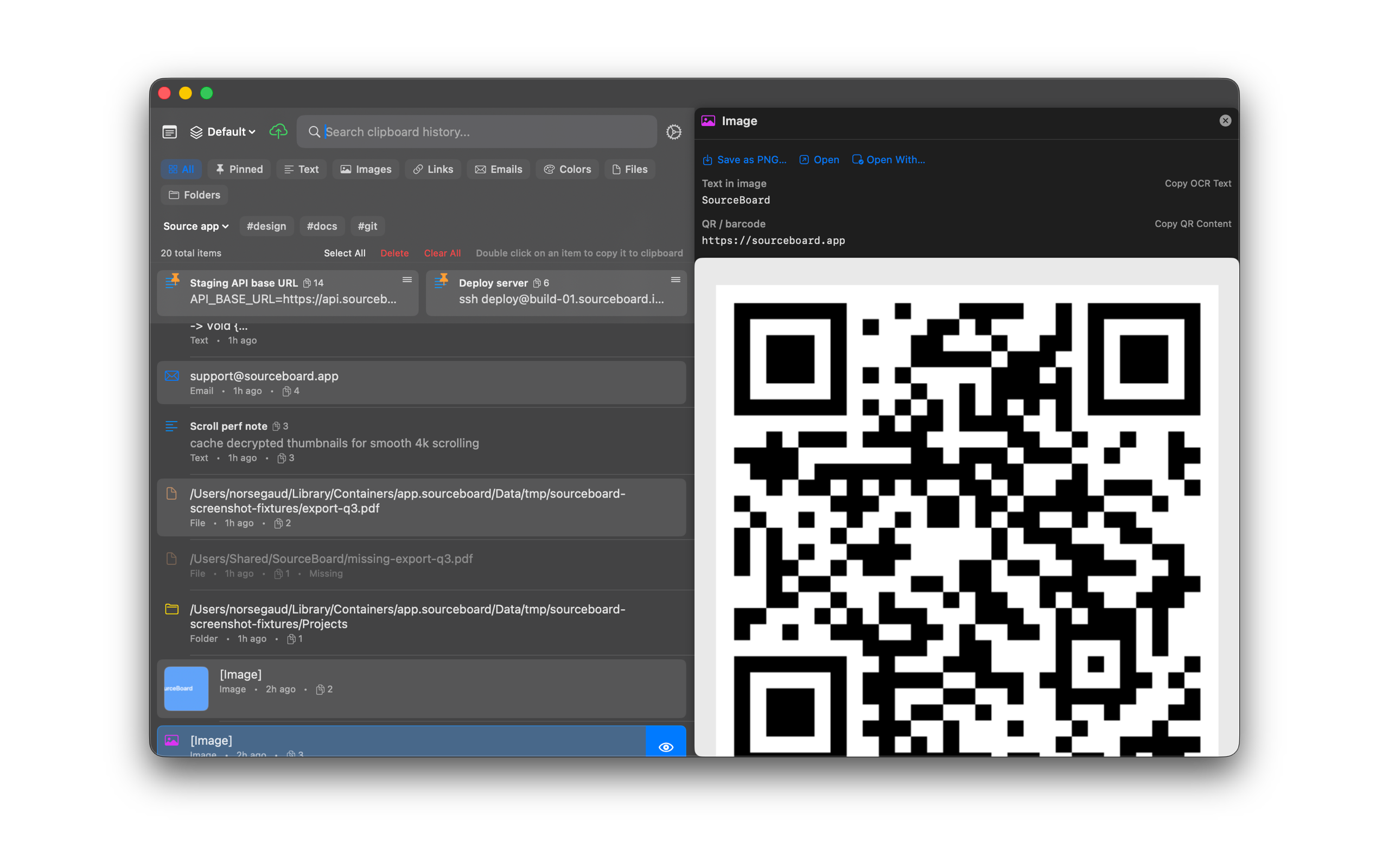
Image clips can show recognized text and QR / barcode payloads. Search matches that text. Copy it with one click. After the 7-day trial, SourceBoard requires a subscription.
How to use it
- Copy an image that contains text or a QR / barcode.
- Open SourceBoard and select the image.
- In the preview, press Copy OCR Text to put recognized text on the clipboard.
- Press Copy QR Content to copy the barcode payload.
- Search also matches OCR text and QR payloads.
Shortcuts
No extra shortcut. Use Copy OCR Text and Copy QR Content in the image preview.