Power User Features
Settings include paste, window, sort, and retention controls for heavy clipboard use. After the 7-day trial, SourceBoard requires a subscription.
How to use it
- Open Settings.
- Find the History and Paste section.
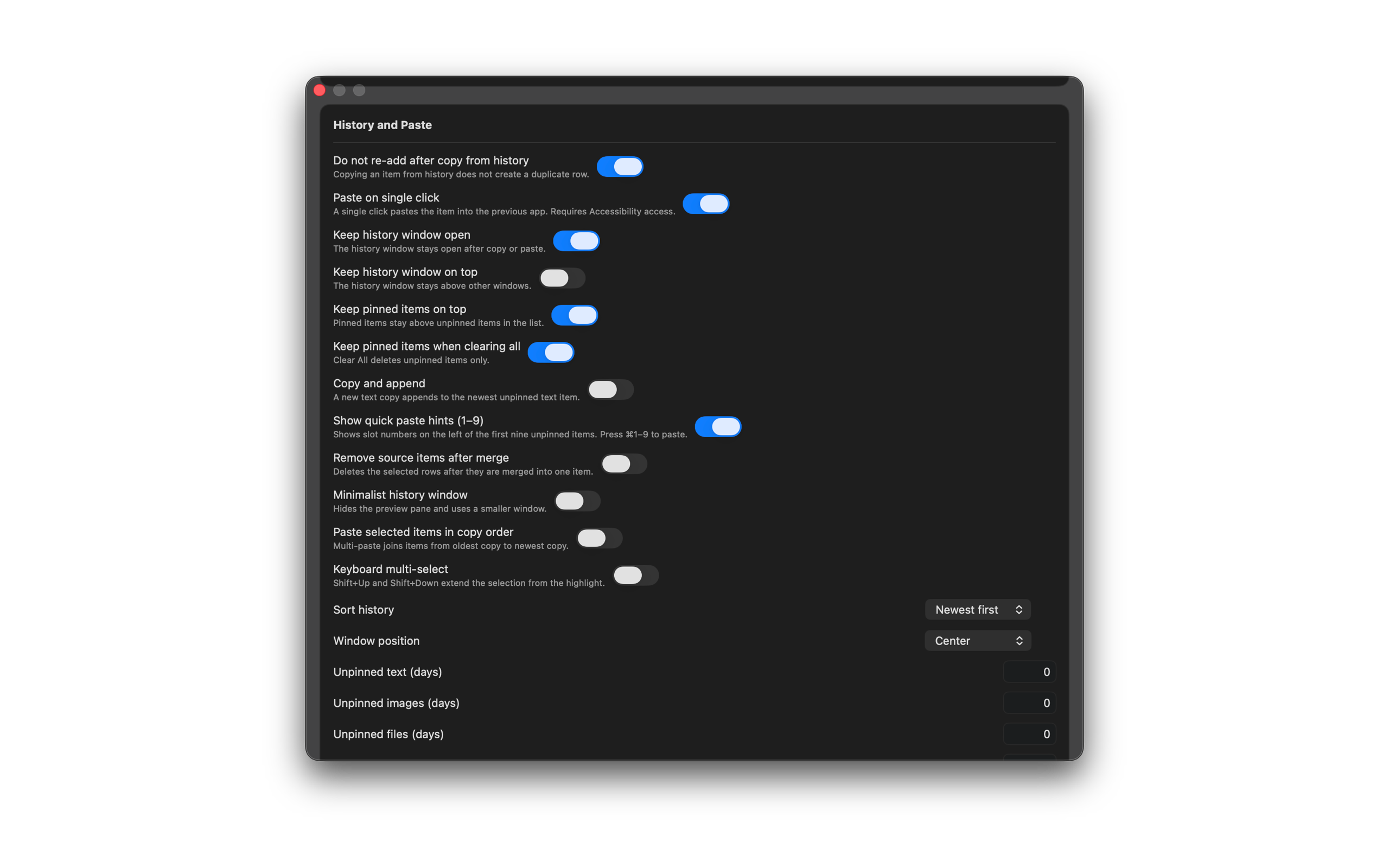
- Turn on paste on single click, keep window open, or always on top as needed. Paste into the front app requires Accessibility access.
- Keep Show quick paste hints on so slot numbers 1–9 stay on the left of unpinned rows.
- Turn on Remove source items after merge if you want the old rows deleted after a merge. The preview shows the new merged item.
- Turn on Minimalist history window to hide the preview pane and use a smaller window.
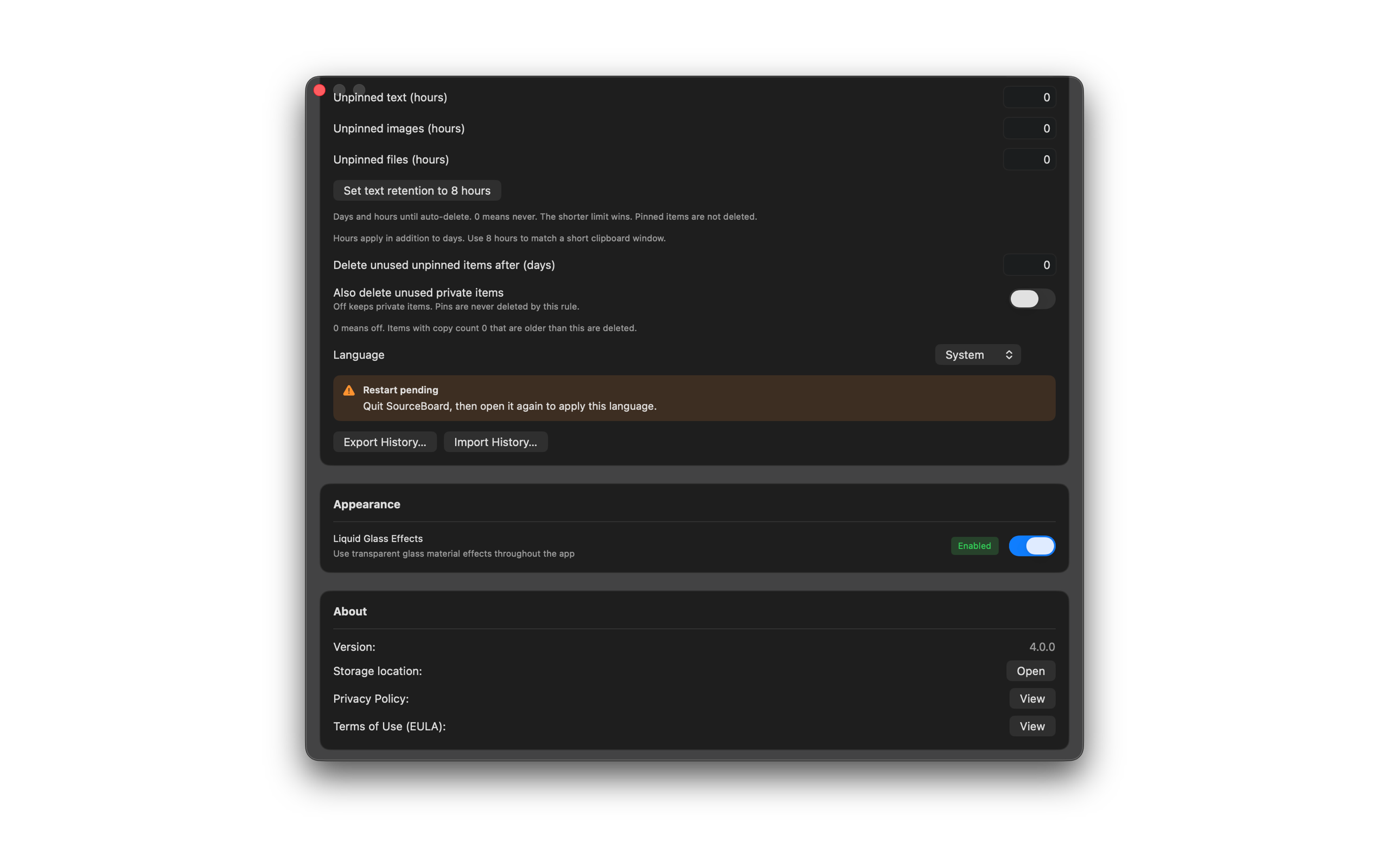
- Set days and hours until auto-delete for unpinned text, images, and files. 0 means never. Use Set text retention to 8 hours for a short clipboard window. The shorter limit wins. Pinned items are not deleted.
- Set Delete unused unpinned items after (days) to prune items with copy count 0. Private items stay unless you turn on Also delete unused private items. Pins are never deleted by this rule.
- Set Language to System, English, Español, 日本語, or 简体中文. After you change it, Restart pending appears. Quit SourceBoard, then open it again to apply the language.
- In History Filters, hide chips you do not use and move chips Up or Down. All stays available.
- In History Action Shortcuts, press Change to remap a shortcut, or Reset to restore the default.
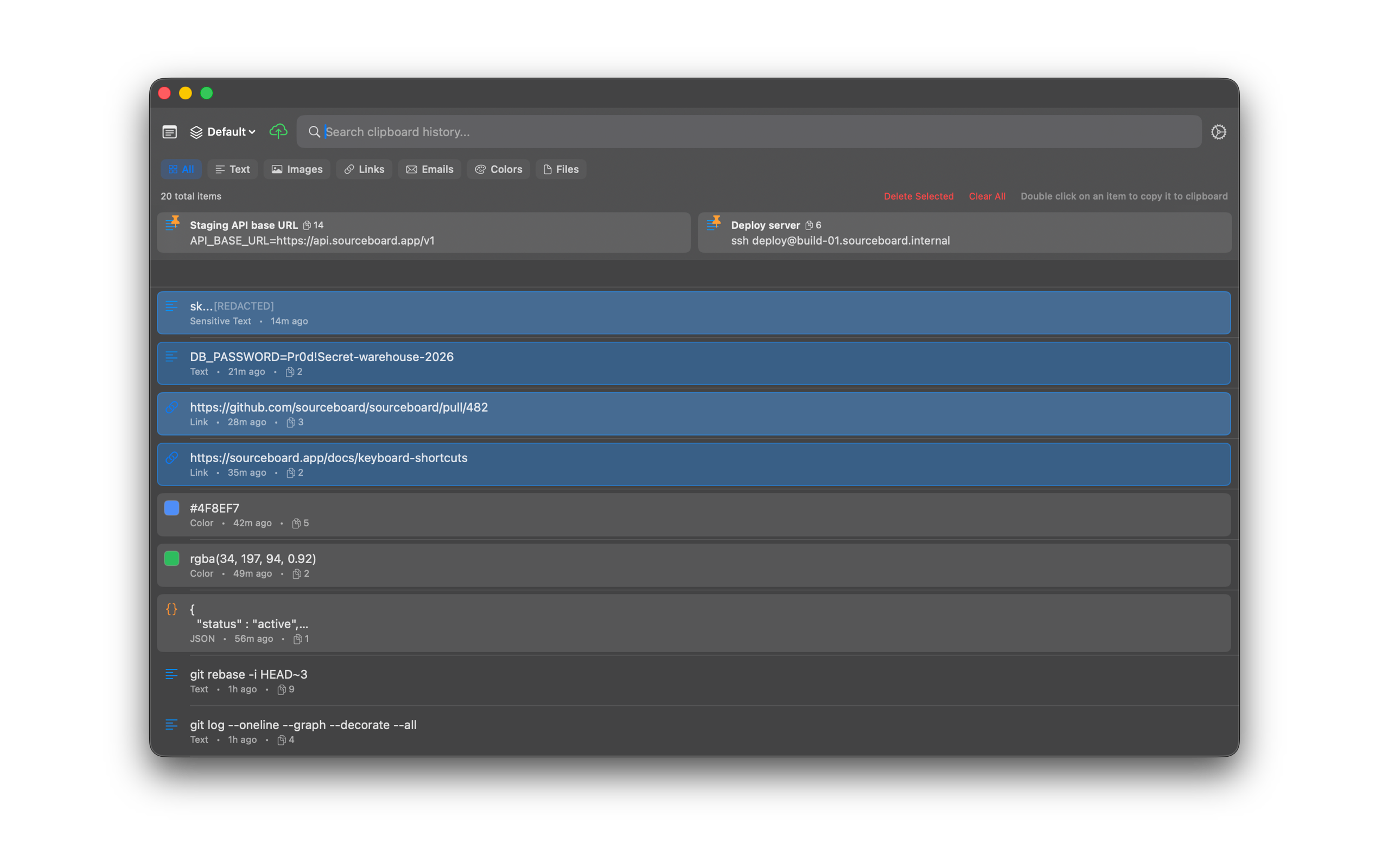
- In the history list, Shift-click (or Shift+Up / Shift+Down) to select several items, then pin, merge, tag, or paste the selection.
- Use the command palette (Cmd+K) for case transforms, remove newlines, split lines, merge, format JSON, import, and export of clipboard history as JSON.
- Open an image preview to copy OCR text or QR / barcode content.
Shortcuts
- Cmd+K — command palette
- Cmd+1–9 — paste a quick-paste slot (hints default on)
- Ctrl+Option+V — paste the next unpinned item (does not reorder history)
- Ctrl+Option+B — paste the previous unpinned item (does not reorder history)
- Ctrl+Option+S — open snippets (pins and notes)
- Cmd+A — select or deselect all visible items
- Ctrl+Shift+X — delete all unpinned items
Settings
Language
Batch select