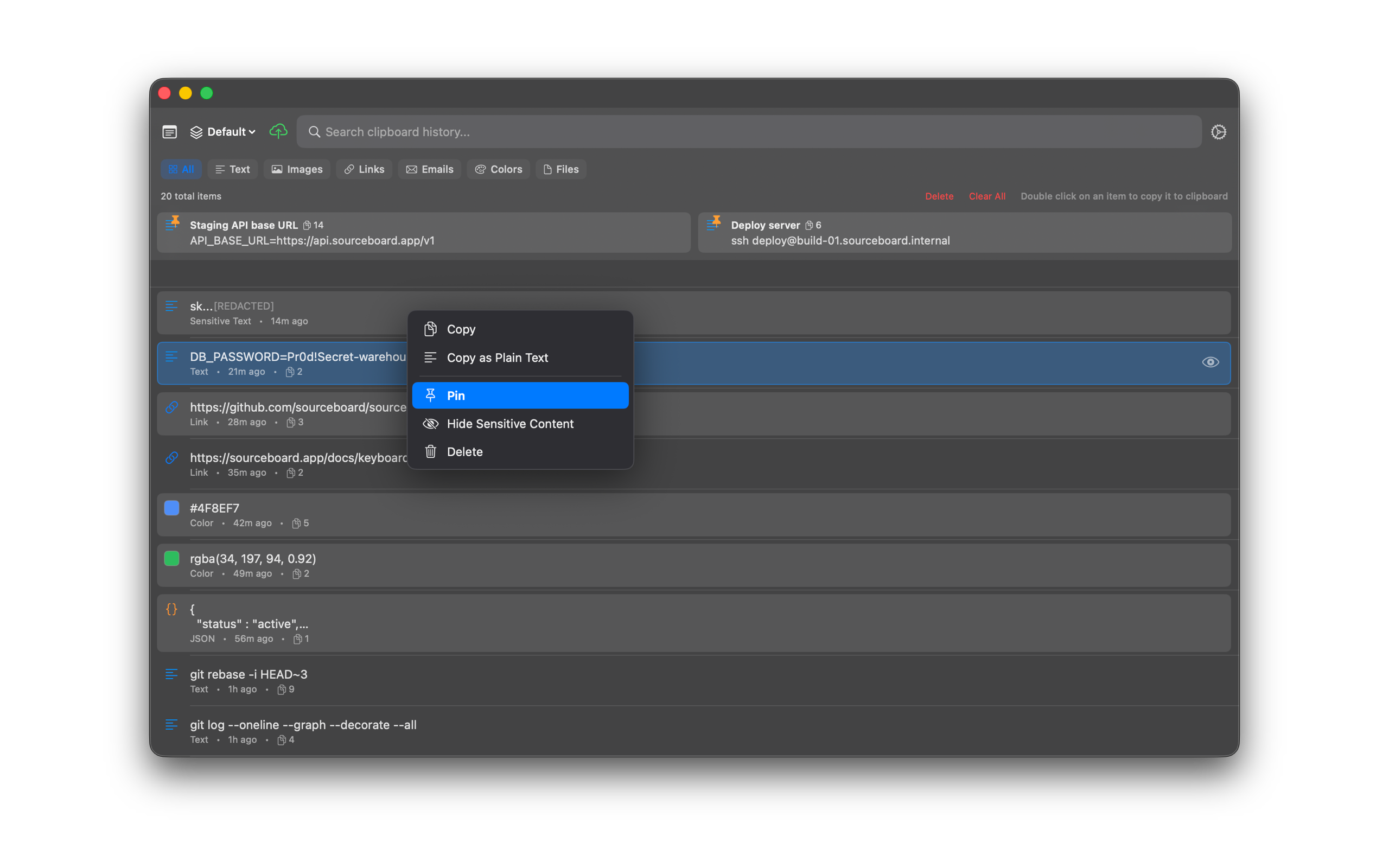
Pinning
Pin connection strings, API endpoints, templates, and other snippets you reuse so they stay at the top of your history.
How to use it
- Open SourceBoard and select the item you want to keep handy.
- Pin it (from the UI or with Cmd+Shift+P).
- Optionally add a custom description so you can recognize it later.
- Pinned items stay at the top of your list when Keep pinned items on top is on. A divider sits between pins and history.
- Drag a pin by the handle, or use Move Left / Move Right in the pin menu, to set pin order. The order is saved.
Shortcuts
- Cmd+Shift+P — pin the highlighted item