Subscription and Free Trial
SourceBoard starts with a free trial. All features work during the trial. To keep using SourceBoard after the trial, you need the paid annual subscription. The subscription also includes iCloud sync.
How to use it
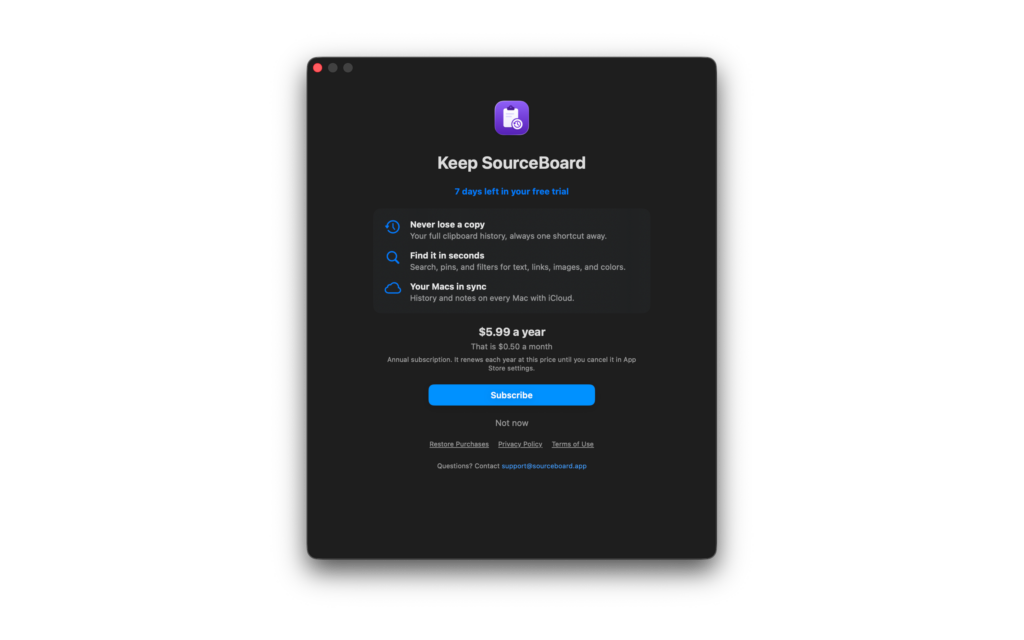
- Open your history. Click the status label in the header (for example “Trial”). The offer opens. It shows the days left in your free trial and the price per year and per month.
- To subscribe, click Subscribe (paid annual subscription). Confirm the purchase in the App Store window.
- To go back to your history during the trial, click Not now.
- If you already subscribe on another Mac or after a reinstall, click Restore Purchases.
- To see the status, the expiry date, and the last check, open Settings > Subscription. To cancel, click Manage Subscription, or open your App Store account settings.
When the free trial ends, the offer stays open until you subscribe or restore a purchase. The subscription renews each year at the same price until you cancel it in App Store settings.
Subscription offer