Tags and Source Apps
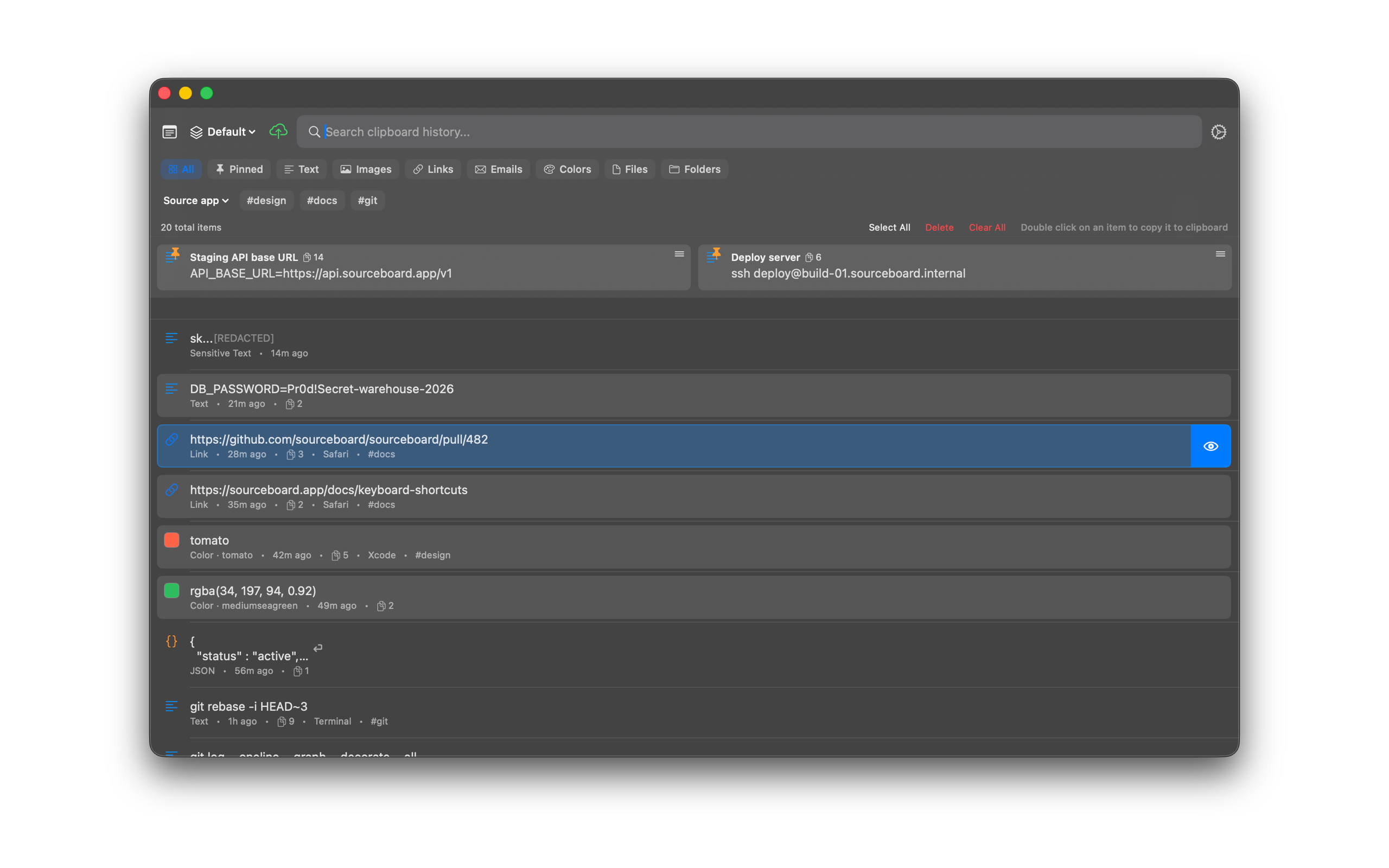
Each history row can show the source app and tags you add. Use the header chips to filter by app or tag. After the 7-day trial, SourceBoard requires a subscription.
How to use it
- Select a history item.
- Open the item menu and choose Add Tag…
- Enter a tag name and save it.
- To tag several items at once, Shift-click to select them, then press Tag Selected in the header.
- To remove a tag, open the item menu, choose Remove Tag, then pick the tag. Or move the pointer over the tag on the row and click the trash icon.
- Use the Source app menu or a tag chip in the header to filter the list. Filter chips do not remove tags from items.
- Search also matches tag names and source app names.
Shortcuts
No extra shortcut. Use Tag Selected for a multi-select, the item menu, the row trash icon, and the header filters.