Large Item Warning
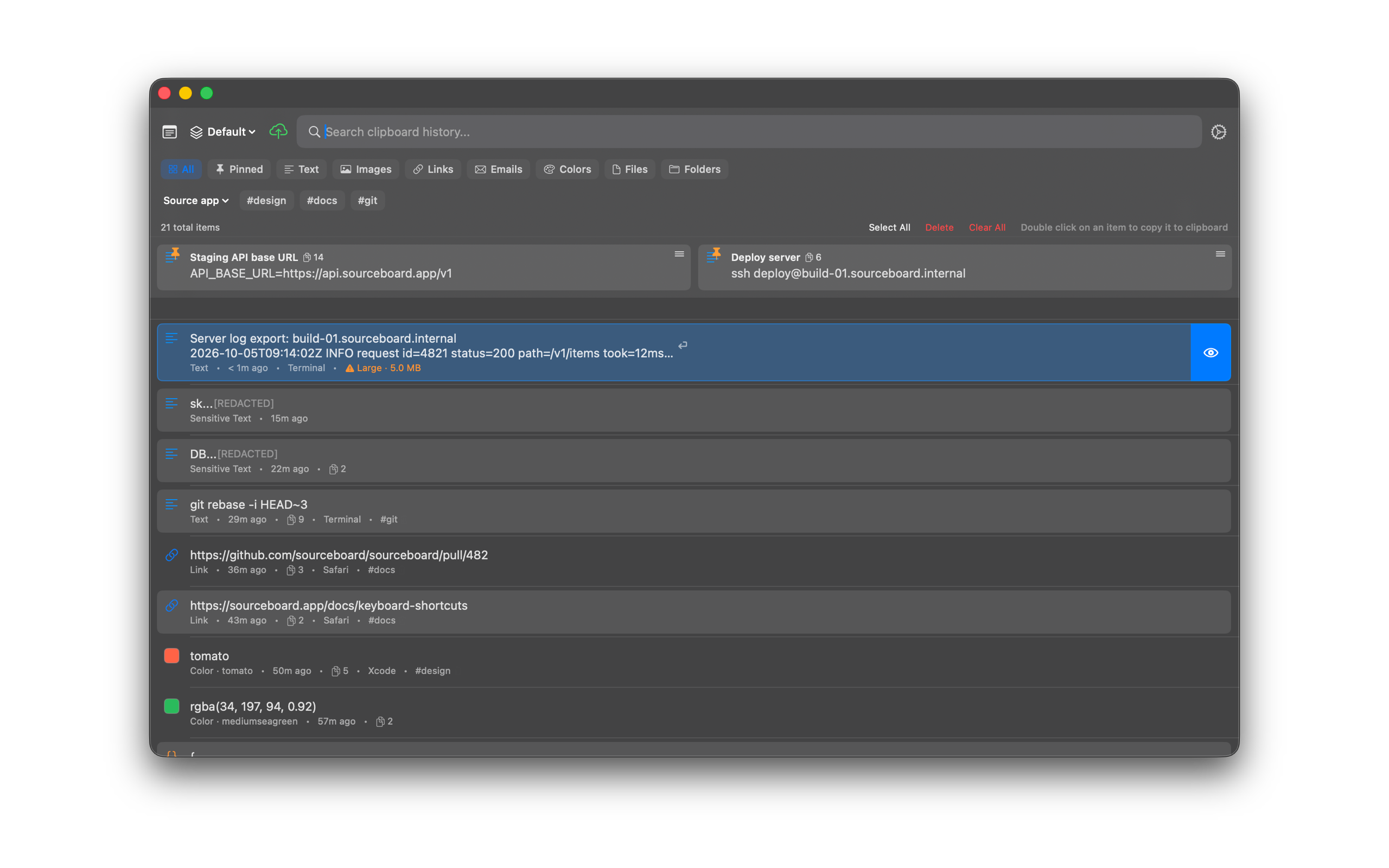
SourceBoard shows an orange Large label on history items of 5 MB or more, for example a log with 100,000 lines. These items can take longer to load, preview, and copy. The label shows the item size, so you can find the items that make SourceBoard slow.
How to use it
- Open SourceBoard.
- Find rows with an orange Large label and a size, for example Large · 60.2 MB.
- Move the pointer over the label to see why the item is slow.
- Delete the item if you do not need it. A smaller history opens faster.
Images do not show the label. SourceBoard loads image data only when it shows the image.
Shortcuts
- Option+Shift+Q — open history
- Ctrl+X — delete the highlighted item