Named Colors
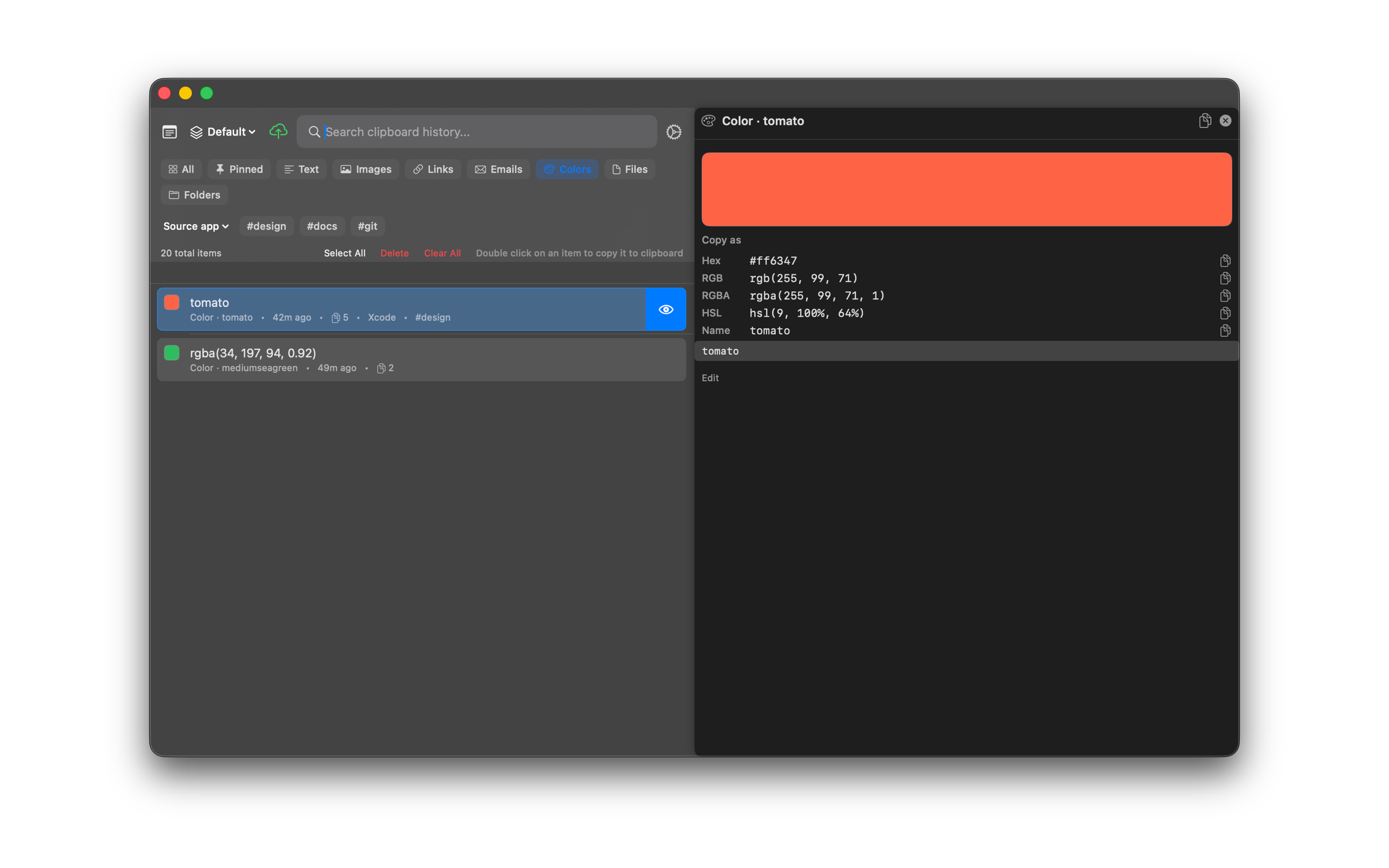
SourceBoard recognizes CSS color names such as tomato, plus hex and rgb() values. The list shows a swatch. The preview has a Copy as list for hex, rgb(), rgba(), HSL, and the CSS name.
How to use it
- Copy a CSS color name (for example
tomato) or a hex / rgb() value. - Open SourceBoard and select the item.
- Confirm the swatch on the row.
- Open the preview. Under Copy as you see Hex, RGB, RGBA, HSL, and Name when a CSS name exists.
- Click the copy button next to the format you need. SourceBoard puts that string on the clipboard.
Shortcuts
No extra shortcut. Use the history list and preview as usual.